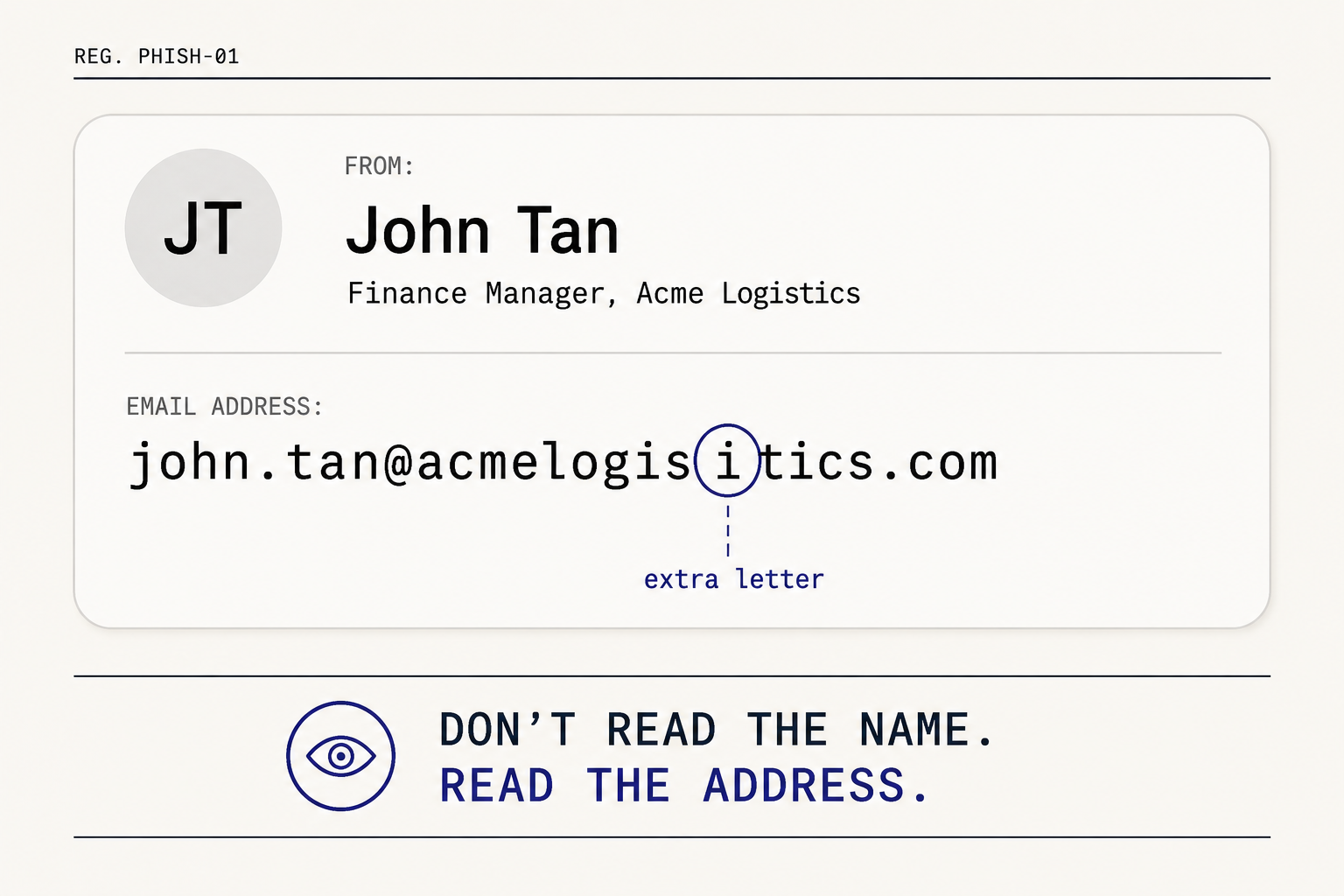
When you receive an email, you can't just read the name anymore. You need to click the header and read the actual email address.
In the last few weeks, I've been receiving a lot more of these from our DPO clients. They're telling me they've been receiving emails from trusted parties they work with — their auditor, their CEO, their customers, their vendors. Thankfully, they were astute enough to notice that something was off, and they nipped it in the bud.
When they opened up the sender details, they realised the email address was not the official one.
Pattern 1 — The lookalike domain
This is the version most people have heard of. The attacker registers a domain that looks almost identical to the real one, and sends from there.
Look at these examples and see if you can spot the difference:
| What you'd expect | What they actually received |
|---|---|
| john.tan@acmelogistics.com | john.tan@acmelogisitics.com |
| accounts@yourvendor.com | accounts@your-vendor.com |
| finance@yourcompany.com.sg | finance@yourcompany.sg |
| david.lim@suppliercorp.com | david.lim@suppIiercorp.com |
Did you catch them all? A swapped letter. An added hyphen. A different domain extension. A capital "I" disguised as a lowercase "l". These differences are almost invisible — especially on a phone screen at 8am when you're rushing through your inbox.
Pattern 2 — The right name, the wrong service
Sometimes the attacker doesn't bother imitating the domain at all. They put the real name, role, or organisation in front of a free email service — and trust that you'll read the name and skip the rest.
| What you'd expect | What they actually received |
|---|---|
| ceo@acmelogistics.com | ceo.acmelogistics@gmail.com |
| finance@yourvendor.com | finance.yourvendor@outlook.com |
| jane.lim@yourcompany.com | jane.lim.yourcompany@gmail.com |
| j.chen@yourauditfirm.com | j.chen.audit@gmail.com |
You read "CEO, Acme Logistics" and your brain fills in the rest. The @gmail.com at the end is the part you skip.
This pattern is harder to catch because nothing in the address is wrong in the typo sense — it's a real, working Gmail account. There's no misspelling to spot. The only tell is that a CEO, an accountant, a vendor, or an auditor isn't sending you work email from a personal Gmail.
Why both patterns work
It isn't that people are careless. It's that the emails are designed to look exactly right. Our brains are pattern-matching machines — we read the name, recognise the context, and move on. The attacker is counting on that exact behaviour.
Most of these emails arrive with a request that creates a small amount of urgency. Transfer funds. Click a link. Download a file. Confirm a password. Send over a document. The pressure of the request is what stops you from looking twice.
The One Rule
As a DPO, here's my advice. When you receive an email asking you to do something out of the ordinary — transfer funds, click a link, download a file, share sensitive information — stop. Click on the sender's name. Read the full email address. Then ask yourself two things:
- Is the domain right? Letter for letter, hyphen for hyphen.
- Would this person actually email me from that address?
The second question is the one most people skip. A CEO writing to you from a personal Gmail is not your CEO. A vendor sending invoices from Outlook is not your vendor. An auditor requesting financial records or system access from a free email account is not your auditor.
If something feels off, it probably is. Trust that instinct.
If you'd like help training your team to spot phishing attempts or strengthening your organisation's data protection practices, reach out to us at Veritos for a consultation.